12 mejores aplicaciones de Shopify para tu tienda Shopify en 2026
Crear una tienda Shopify puede ser tan sencillo como registrarse y añadir productos, pero nunca comprarías un coche sin saber conducirlo antes. Y como hay más de una forma de adquirir esas habilidades, Repricer.com ha reunido las mejores aplicaciones de Shopify que pueden ayudarte a convertir tu tienda en un éxito ahora mismo.
Aplicaciones de marketing para Shopify
1. NotificarVisitantes
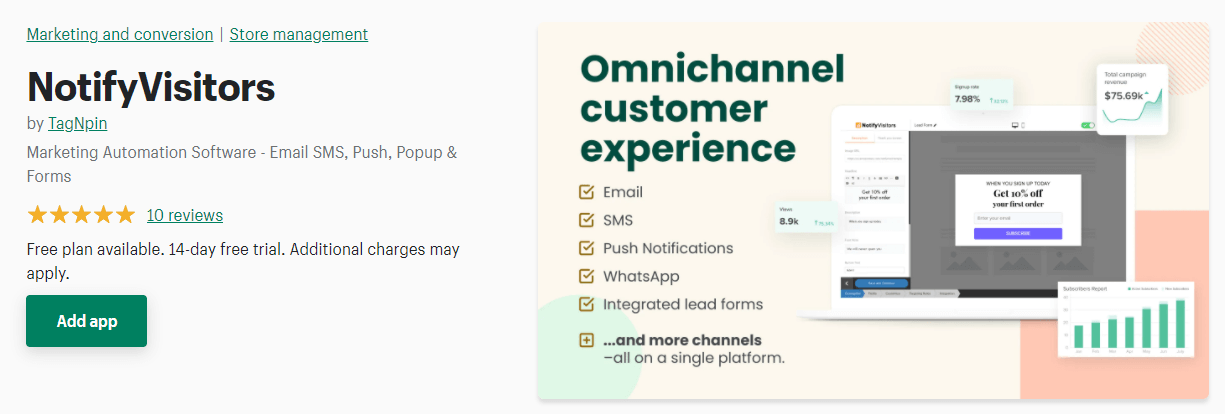
El software de marketing por correo electrónico NotifyVisitors es una potente herramienta que ayuda a las tiendas Shopify a enviar campañas automatizadas para dirigirse a su público en el momento adecuado.
No sólo esto, sino que también te permite enviar campañas personalizadas para que puedas conectar con tu público a un nivel más personal. Su interfaz fácil de usar, junto con el editor de arrastrar y soltar, la hace más atractiva para los propietarios de tiendas que buscan mejorar sus esfuerzos de marketing.
Su informe analítico de campaña en profundidad te ayuda a ver el rendimiento de la campaña y a ajustarla en consecuencia, permitiéndote optimizar tu aplicaciones de marketing de Shopify para obtener mejores resultados.
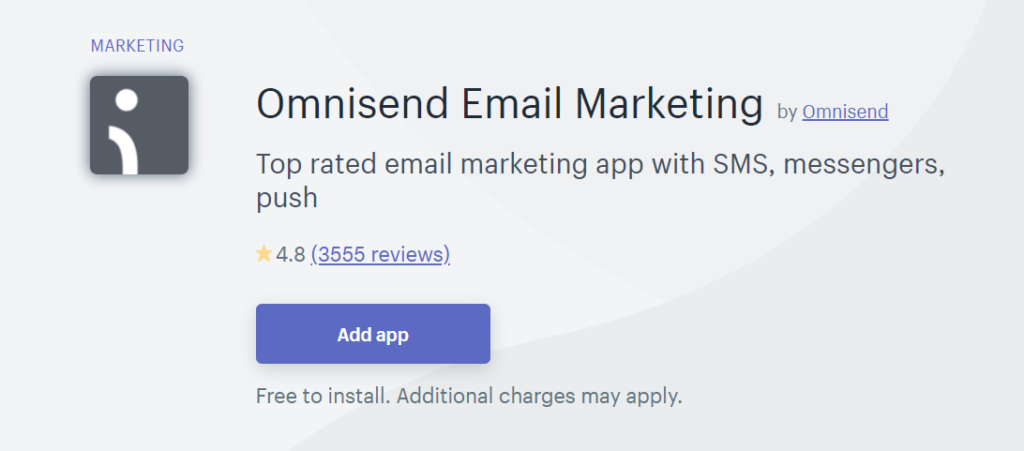
2. Omnisend Email Marketing
Omnisend es lo más parecido a una herramienta imprescindible cuando se trata de comercializar por correo electrónico con tus usuarios. No es una herramienta ordinaria de marketing por correo electrónico, ya que podrás sincronizar tus suscriptores con Google y Facebook, segmentarlos en función de su comportamiento de compra y de campaña por correo electrónico, y utilizar divertidas características de registro para atraer a futuros suscriptores. Puedes empezar con una prueba gratuita o solicitar una demostración, y luego pasar a uno de sus planes de pago (los planes anuales tienen descuentos mensuales).
3. OptinMonster
OptinMonster promociona su herramienta de marketing por correo electrónico como capaz de hacer crecer «instantáneamente» tu lista de correo electrónico, conseguir más clientes potenciales y aumentar las ventas. ¿Suena demasiado bueno para ser verdad? No en este caso, en el que el bombo y platillo es realmente cierto. Empieza con una de sus plantillas prediseñadas y personalízala para adaptarla a tu tienda, luego crea una campaña dinámica para empezar a hacer crecer tu lista de correo electrónico. Su plan básico comienza en 9 $/mes (normalmente 14 $/mes) y llega hasta 49 $/mes para su gama más completa de opciones.
4. Sumo
No pagas por usar Sumo hasta que consigues más clientes, lo que la convierte en una aplicación de Shopify fácil de usar. Además de las características habituales asociadas al marketing por correo electrónico, también puedes ofrecer a tus suscriptores códigos de descuento personalizados de Sumo que pueden utilizar en tu tienda. ¿Y si necesitas ayuda? Tienen un servicio de atención al cliente gratuito para ayudarte, lo que lo convierte en uno de los mejores plugins de Shopify para el marketing por correo electrónico.
5. Dulces de referencia
Todos sabemos lo difícil que es conseguir suscriptores para tu lista de correo electrónico, por no hablar de conseguir que tu base de fieles compre más. Pero con ReferralCandy, se elimina gran parte de ese trabajo. Cuando los clientes te recomiendan a sus amigos y familiares, pueden obtener incentivos (a tu elección) como recompensa por difundir las buenas noticias. Y para asegurarte de que tú también estás incluido, puedes empezar con una prueba gratuita de 30 días antes de contratar el plan de 59 $/mes. Según opiniones recientes, ReferralCandy impulsa programas de recomendación para más de 3.000 marcas y tiene una alta puntuación de 5,0 estrellas en más de 1.400 opiniones.
Aplicaciones de fidelización de clientes en Shopify
1. Fidelidad y recompensas de Smile.io
Como a los compradores les gusta sentirse apreciados por su fidelidad, Smile.io Fidelización y Recompensas te ayuda con eso. Se puede integrar con Facebook, HubSpot, Mailchimp y otras herramientas, con la posibilidad de recompensar la interacción en las redes sociales (entre otras áreas en las que recompensar la fidelidad de los clientes). Si tienes menos de 100 pedidos mensuales, puedes utilizar Smile.io gratis; de lo contrario, tendrás que suscribirte a su plan Plata (49 $/mes, mejor para tiendas con 0-400 pedidos mensuales) o al plan Oro (249 $/mes, mejor para tiendas con 400-1.000 pedidos mensuales). A partir de 2025, Smile.io impulsa más de 50.000 programas de recompensas y tiene una valoración media de 4,9 sobre 5 estrellas, lo que la convierte en una de las más fiables. aplicaciones esenciales de Shopify para fidelizar a tus clientes.
2. LealtadLeón
Los leones son conocidos por su lealtad, y la lealtad es buena, así que LoyaltyLion hace exactamente lo que dice su nombre: te ofrece varias formas de captar y aumentar la lealtad de tus clientes. Algunas de sus opciones incluyen recompensas por compras, registros, reseñas, interacción en redes sociales y cumpleaños, con la posibilidad de utilizar las recompensas de la forma que más les convenga. Puedes empezar con un plan gratuito que cubre 800 pedidos mensuales o suscribirte a uno de sus niveles de pago si el volumen de ventas de tu tienda es muy superior a esa cifra.
Aplicaciones SEO para Shopify
1. Optimizador de imágenes SEO
Dado que las imágenes son uno de los primeros puntos de contacto que un comprador tiene con tu tienda, optimizarlas es una forma crucial de conseguir que ese usuario permanezca allí y (con suerte) realice una compra. SEO Image Optimizer puede ayudarte con eso, encargándose de optimizar tus imágenes para ayudarte a posicionarte mejor en Google Imágenes (advierten que no lo garantizan, con razón, ya que sólo son una herramienta tan buena como tu esfuerzo de investigación y trabajo). El plan gratuito realiza tareas básicas de SEO de imágenes, mientras que el plan de pago realiza tareas más pesadas como la optimización de metaetiquetas, la reparación de enlaces rotos y mucho más.
2. Hextom: Edición masiva de productos e importación CSV
Ahora que ya te has ocupado de optimizar tus imágenes, optimiza la parte escrita de tus listados con Hextom: Edición Masiva de Productos. En lugar de aumentar el valor SEO de tus listados uno a uno, utiliza esta aplicación de Shopify para aplicar los cambios de forma masiva (con la opción de volver al estado anterior a la edición con un solo clic). Puedes quedarte con el plan gratuito para tareas básicas ilimitadas de optimización SEO de productos o pasar a uno de los planes de pago para tener aún más opciones y plazos de copia de seguridad ampliados. Los comentarios recientes en 2025 elogian la interfaz fácil de usar de esta aplicación y la receptividad del equipo de atención al cliente, lo que la convierte en una herramienta valiosa para los propietarios de tiendas con grandes catálogos de productos.
3. Gestor SEO
Todos tenemos esos días en los que estamos cansados de hacerlo todo nosotros mismos y deseamos que aparezca un hada mágica para aligerar la carga de trabajo. Puede que eso no exista para tus tareas domésticas, pero sí para tu tienda Shopify con SEO Manager. La autodenominada «herramienta SEO sobrealimentada» escaneará tus listados en busca de valor SEO, sugerirá palabras clave, ofrecerá herramientas de contenido meta para SEO backend, conectará con Google Search Console, se ocupará de los errores 404, estructurará tus datos de la forma JSON-LD compatible con Google, y mucho más. Sólo hay un plan a un precio muy razonable de 20 $/mes una vez que caduque tu prueba gratuita de 7 días.
Aplicaciones de redes sociales de Shopify
1. Sal de dudas
Tanto si te encantan las redes sociales como si desearías volver atrás en el tiempo antes de que existieran, están aquí para quedarse, y aprovecharlas al máximo sólo puede ayudar a tu tienda Shopify. Y con Outfy en tu bolsillo trasero, puedes conseguirlo mucho más rápido mediante la integración con hasta 12 plataformas de redes sociales (y luego ponerlo en piloto automático). El plan Starter gratuito tiene todas las características disponibles (en cantidades limitadas), pero puedes contratar uno de sus planes de pago si quieres más «créditos para compartir».
2. Marketing en Facebook Messenger
Sí, estamos hablando de Facebook Messenger Marketing. Esta aplicación de Shopify presume de una tasa de apertura superior al 80%, lo que significa que tiene una tasa de apertura mayor que el correo electrónico tradicional. Puedes enviar recibos de pedido y notificaciones de envío, así como mensajes de campañas de marketing, a tu base de clientes segmentada. ¿Y lo mejor de todo? Esta app es totalmente gratuita y sigue siendo una de las aplicaciones esenciales de Shopify para el marketing en redes sociales en 2025.
Sincroniza tus precios con tu tienda Shopify
Con Repricer.com puedes sincronizar tus precios de Amazon con tu tienda Shopify y otros canales. Obtén más información suscribiéndote hoy a una prueba gratuita de 14 días. No se necesita tarjeta de crédito.
¿Quieres ver algunos ejemplos de tiendas de éxito? Consulta nuestra guía sobre Las mejores tiendas Shopify para inspirarte.
¿Buscas alternativas a Shopify? Explora nuestra completa comparativa de Alternativas a Shopify para encontrar la plataforma adecuada para tu negocio.
¿Quieres aumentar tus ventas? Lee nuestra guía sobre cómo Aumentar las ventas de comercio electrónico con estrategias y tácticas probadas.