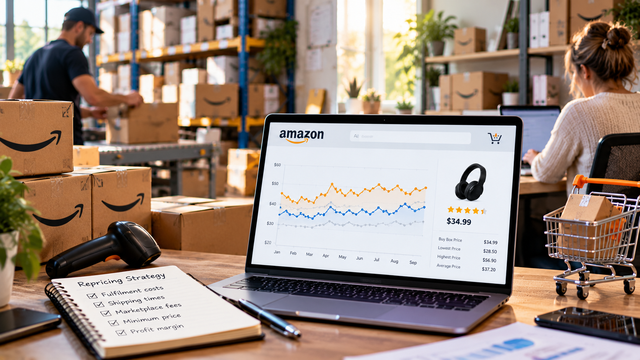
Amazon Bundle Repricing: How to Set Minimum Prices When Your Bundle Costs Are Spread Across Multiple Items
Multi-item bundles present a specific repricing problem. The bundle ships as one unit, earns one FBA fee, and competes in one Buy Box. The cost of the bundle is spread across two or more component items, each with its own landed cost, each sourced separately.
Setting a minimum price on a bundle requires a different calculation from setting one on a single ASIN. Sellers who apply their standard single-item floor formula to a bundle listing typically get one of two outcomes: a floor set too high (cutting the bundle out of Buy Box competition unnecessarily) or a floor set too low (selling at negative margin without realising it).
The general approach to Amazon bundle strategy is covered at Amazon bundle repricing: how to reprice bundle products on Amazon. This article focuses specifically on the minimum price calculation: how to build the bundle cost stack, how to apply the floor formula, and how to protect the bundle's margin premium in the repricer.
Note on scope: The general floor price formula for single-item ASINs, including how to handle FBA reimbursements, is covered separately at how Amazon repricing works. This article applies the same formula structure to bundle-specific cost inputs.
TL;DR: A bundle's minimum price is calculated from combined component landed costs plus a single bundle FBA fee, not the sum of individual item FBA fees. The formula is: (combined COGS + bundle FBA fee) ÷ (1 - referral fee rate - target margin rate). A secondary check compares the derived floor against the sum of component items' individual prices on Amazon. This protects the bundle's margin premium from competitive pressure at the bottom of the repricing range.
Why the bundle floor calculation differs from a single-item floor
A single-item floor price has one landed cost and one FBA fee as inputs. A bundle floor has multiple landed costs that must be aggregated, and a single FBA fee that does not equal the sum of individual item fees. Applying the single-item formula without adjusting for these differences produces an inaccurate floor.
The single-item floor formula is: (landed cost + FBA fee) ÷ (1 - referral fee rate - target margin rate). That formula works because one ASIN has one source cost and generates one FBA fee when fulfilled.
A bundle breaks both of those assumptions. Two or more items with separate source costs go into the bundle. One FBA fee is charged per bundle shipped, calculated on the bundle's packaged dimensions and weight as a whole, not on the individual items inside it. The referral fee is applied to the bundle's total sale price, in the category the bundle listing is assigned to.
Three consequences for sellers who do not adjust their floor formula:
Using the wrong cost basis. Summing the individual items' landed costs is correct. Using a single component's cost as if it represents the bundle is not.
Using the wrong FBA fee. Summing the individual items' estimated FBA fees overstates the fee for compact bundles and understates it for bundles that package bulkily.
Ignoring the bundle uplift. A bundle should command a margin premium over selling items separately. A floor set at bare break-even erodes that premium the moment competitive pressure rises.
How Amazon's FBA fee works for multi-item bundles
Amazon charges one FBA fulfillment fee per bundle shipped. The fee is based on the bundle's packaged weight and dimensions as a single unit, not on the number of items inside it.
When an FBA bundle sells, Amazon picks the bundle from a single storage location (where the pre-assembled or kitted bundle is held) and ships it as one parcel. The fulfillment fee is determined by which size tier that parcel falls into on Amazon's FBA fee schedule: Small Standard, Large Standard, Small Oversize, and so on. The tier is set by the packaged weight and longest dimensions of the bundle as prepared for FBA.
The mistake sellers make: estimating the bundle FBA fee by adding up the individual FBA fees Amazon would charge if each item were sold separately. This does not reflect how Amazon calculates the fee. A bundle of two small items packed into one box is often a Large Standard unit with one fee, not two Small Standard units with two fees.
How to find the correct bundle FBA fee:
Prepare the bundle packaging: the actual box or wrap the bundle ships in as an FBA unit.
Measure the packaged dimensions and weigh the complete packaged bundle.
Look up the applicable fee in Amazon's current FBA fee schedule using those measurements and the shipping weight.
Alternatively, send a small initial quantity to FBA and verify the fee in Seller Central's payments detail once a unit has shipped.
Amazon's FBA fee schedule is updated annually, typically in February. Verify the bundle FBA fee figure at the start of each calendar year and whenever bundle packaging changes.
The three inputs to a bundle cost stack
The bundle cost stack has three inputs: combined component landed costs, the bundle FBA fee, and the referral fee rate for the bundle's listed category. All three must be accurate before the floor formula is applied.
1. Combined component landed costs. Add the landed cost (unit purchase cost plus inbound shipping to FBA, per unit) for each component item in the bundle. If the bundle contains two units of the same item, count that item's landed cost twice.
Example of a two-item bundle cost stack:
Component A (kitchen scale): landed cost £8.50 per unit
Component B (measuring spoon set): landed cost £3.00 per unit
Combined COGS: £11.50
2. Bundle FBA fee. One fee, based on the packaged bundle's dimensions and weight. Obtained from Amazon's FBA fee schedule or from Seller Central payments data on a fulfilled unit. Not the sum of individual item fees.
Example: the kitchen scale and measuring spoon set, packaged together in a reinforced box, falls into the Large Standard size tier. Bundle FBA fee: £3.80.
3. Referral fee rate. The rate for the product category the bundle listing is assigned to. A bundle listed in Home & Kitchen carries that category's referral fee rate. Check the current rate in Seller Central under "Selling fees" for the relevant marketplace. Home & Kitchen typically carries a 15% referral fee rate.
The referral fee rate applies to the total bundle sale price, not to the individual component prices.
Calculating the bundle minimum price: a worked example
The bundle floor formula uses the same structure as the single-item floor formula. The inputs are different: combined COGS replaces single landed cost, and the bundle FBA fee replaces the individual item fee.
Bundle floor formula: (Combined COGS + bundle FBA fee) ÷ (1 - referral fee rate - target margin rate)
Applied to the kitchen scale and measuring spoon set bundle:
Combined COGS: £11.50 (kitchen scale £8.50 + measuring spoons £3.00)
Bundle FBA fee: £3.80
Referral fee rate: 15% (Home & Kitchen)
Target margin: 20%
Calculation: (£11.50 + £3.80) ÷ (1 - 0.15 - 0.20) = £15.30 ÷ 0.65 = £23.54 minimum price
This is the cost-derived floor: the price at which the bundle covers all costs and returns 20% net margin. Setting the minimum price below £23.54 in the repricer means the bundle sells at less than the target margin. Setting it above £23.54 is margin optimisation within the repricing band. The floor formula does not constrain the ceiling.
A note on additional bundling costs: bundle sellers often apply a higher target margin than they use for single-item ASINs, reflecting the additional prep work involved in bundling. If bundling involves kitting fees, a prep centre charge, or additional packaging materials, those costs should either be added to the combined COGS figure or reflected in a higher target margin rate. A bundle that requires £0.80 of prep labour per unit should either add £0.80 to the numerator or set a higher margin rate to absorb it.
Protecting the bundle uplift in the floor price
A bundle's commercial purpose is to offer two or more complementary items as a single purchase. If the bundle's minimum price falls below the sum of the component items' individual prices on Amazon, the bundle's price proposition to buyers is weakened and the seller loses the margin premium the bundle was designed to generate.
The bundle uplift check:
Find the current Buy Box price for each component item sold individually on Amazon.
Sum those prices.
Set the bundle's effective minimum price at or above that sum.
Applied to the worked example:
Kitchen scale current individual Buy Box price: £14.99
Measuring spoon set current individual Buy Box price: £8.99
Sum of individual prices: £23.98
The cost-derived floor is £23.54. The sum of individual prices is £23.98. The sum exceeds the cost floor in this example, which means repricing the bundle down to the cost floor would produce a bundle priced below what buyers pay for the two items separately. The effective minimum price is the higher figure: £23.98.
In practice, the effective bundle floor is the higher of:
Cost-derived floor: (Combined COGS + bundle FBA fee) ÷ (1 - referral fee rate - target margin rate)
Uplift-protection floor: Sum of component items' individual Buy Box prices on Amazon
The uplift floor does not replace the cost floor. It runs alongside it. When the cost-derived floor is the higher figure (for example, when component items are priced cheaply on Amazon relative to their sourcing cost), the cost floor dominates and no uplift adjustment applies.
Review the uplift-protection floor whenever component items' individual prices shift. If the kitchen scale's individual price drops to £9.99, the sum falls to £18.98. That figure is below the cost-derived floor of £23.54, so the cost floor becomes the binding constraint. No uplift-protection adjustment is needed in that scenario.
Setting and maintaining bundle minimum prices in Repricer.com
The bundle minimum price is entered as the minimum price for the bundle ASIN in Repricer.com, the same way any other minimum price is set. The floor calculation is done outside the tool. Repricer.com enforces it.
A bundle ASIN is a distinct listing from its component ASINs. It has its own ASIN, its own price history, and its own Buy Box. Repricer.com treats it as any other ASIN: the minimum price set for the bundle ASIN is the floor the repricer will not breach, regardless of competitive pressure from other bundle sellers.
Configuration steps for bundle minimum prices in Repricer.com:
Calculate the bundle cost floor using the formula above: (combined COGS + bundle FBA fee) ÷ (1 - referral fee rate - target margin rate). Include any kitting or prep costs in the combined COGS figure.
Run the uplift-protection check. Sum the component items' current individual Buy Box prices on Amazon. Set the effective minimum as the higher of the cost floor and the component-sum floor.
Enter the effective minimum price for the bundle ASIN in Repricer.com as the minimum price.
Set the ceiling using the bundle ASIN's Buy Box price history in Keepa or CamelCamelCamel, following the methodology in Amazon Price History Data: Setting Repricing Ceilings With Data.
Set a review trigger for the minimum price. Bundle minimum prices need reviewing when component landed costs change (new supplier pricing or changed shipping rates), when Amazon updates its FBA fee schedule (annually, typically in February), and when component items' individual prices on Amazon shift enough to move the uplift-protection floor.
Repricer.com processes more than 5 billion price changes per week across more than 5,000 sellers, with sub-90-second reaction time to competitor price changes (Repricer.com platform data and product specification). For bundle ASINs with active Buy Box competition, the minimum price enforcement ensures no automated price movement takes the bundle below the cost floor.
Start a free 14-day trial of Repricer.com.
See Repricer.com's features page for minimum price configuration and Buy Box targeting options.
See the Repricer.com pricing page for plan details.
Start a free 14-day trial of Repricer.com.
Key Takeaways
The bundle FBA fee is a single fee on the packaged bundle, not the sum of individual item fees. Measure the packaged bundle and look up the fee on Amazon's FBA fee schedule. Using summed individual fees produces an inaccurate cost basis.
Combined COGS is the sum of all component landed costs. Each item's landed cost (unit purchase cost plus inbound FBA shipping per unit) contributes to the bundle's cost basis. If a component appears twice in the bundle, count its landed cost twice.
The bundle floor formula is: (combined COGS + bundle FBA fee) ÷ (1 - referral fee rate - target margin rate). It uses the same structure as the single-item formula with bundle-specific inputs substituted.
Run an uplift-protection check alongside the cost floor. Sum the component items' current individual Buy Box prices on Amazon. The bundle's effective minimum price is the higher of the cost floor and the component-sum floor.
Additional bundling costs belong in the cost stack. Kitting fees, prep centre charges, and bundle packaging materials should be added to the combined COGS or reflected in a higher target margin rate.
Review the bundle minimum price when component costs or FBA fees change. Amazon updates its FBA fee schedule annually. Supplier re-sourcing and shipping rate changes affect combined COGS. Neither updates automatically in the repricer.
Action Plan
List every component item in each active bundle ASIN and its landed cost. Landed cost = unit purchase price + inbound FBA shipping cost allocation per unit. Sum all component landed costs to get combined COGS.
Measure and weigh each bundle's packaged dimensions. Do not estimate from individual item FBA fees. Measure the actual packaged bundle and look up the fee for those dimensions on Amazon's current FBA fee schedule.
Check the referral fee rate for each bundle's listed category. Find the current rate in Seller Central under "Selling fees" for the relevant marketplace.
Apply the formula: (combined COGS + bundle FBA fee) ÷ (1 - referral fee rate - target margin rate). Add kitting or prep costs to the combined COGS if they are incurred per bundle shipped.
Run the uplift-protection check. Find the current Buy Box price for each component item sold individually on Amazon. Sum those prices. Set the effective minimum as the higher of the cost floor and the component-sum floor.
Enter the effective minimum price for each bundle ASIN in Repricer.com. Set the ceiling from Buy Box price history following the methodology in Amazon Price History Data.
Set a calendar reminder to review bundle floors at the start of each year (when Amazon updates FBA fees), and whenever a component item is re-sourced at a new price or bundle packaging changes.
Frequently Asked Questions
1. Why is the FBA fee for a bundle different from the sum of individual item fees?
Amazon charges one fulfillment fee per bundle shipped. The fee is based on the packaged weight and dimensions of the complete bundle, placing it in a size tier on Amazon's FBA fee schedule. A bundle of two items packed together is a single parcel. Amazon charges one fee for that parcel, calculated on its physical characteristics. Sellers who estimate the bundle FBA cost by adding individual item fees are estimating the wrong number. A compact bundle of two small items in one box is often a Large Standard unit with one fee, which is different from two separate Small Standard fees.
2. What is bundle uplift and why does it need protecting in the floor price?
Bundle uplift is the margin premium a seller earns by selling items together rather than separately. If competitive repricing drives the bundle price below the sum of its component items' individual prices on Amazon, the bundle's price proposition is weakened and the seller loses the margin premium that made bundling worthwhile. The uplift-protection floor, set at or above the sum of component individual prices, prevents the repricer from automatically pricing the bundle into a position where it offers no price advantage over buying the items separately.
3. What if one of my bundle's components has no individual listing on Amazon?
If a component item has no standalone Amazon listing (for example, a custom insert, a proprietary accessory, or an item sourced specifically for the bundle), skip the uplift-protection check for that component. Include its landed cost in the combined COGS for the cost floor calculation. The uplift-protection floor applies only to components with an individual Buy Box price on Amazon that buyers use as a reference for the bundle's value.
4. When should I review my bundle minimum prices?
Review bundle minimum prices when Amazon publishes its annual FBA fee update (typically February), when a component item is re-sourced at a new price, when inbound shipping costs change materially, and when component items' individual prices on Amazon shift enough to move the uplift-protection floor. A quarterly review of all bundle floors is a reasonable baseline cadence for accounts with active repricing and competitive Buy Box pressure. See how Amazon repricing works for the general floor review process applied to single-item ASINs.